
BIMI · Inbox Logo
Get your logo in the inbox.
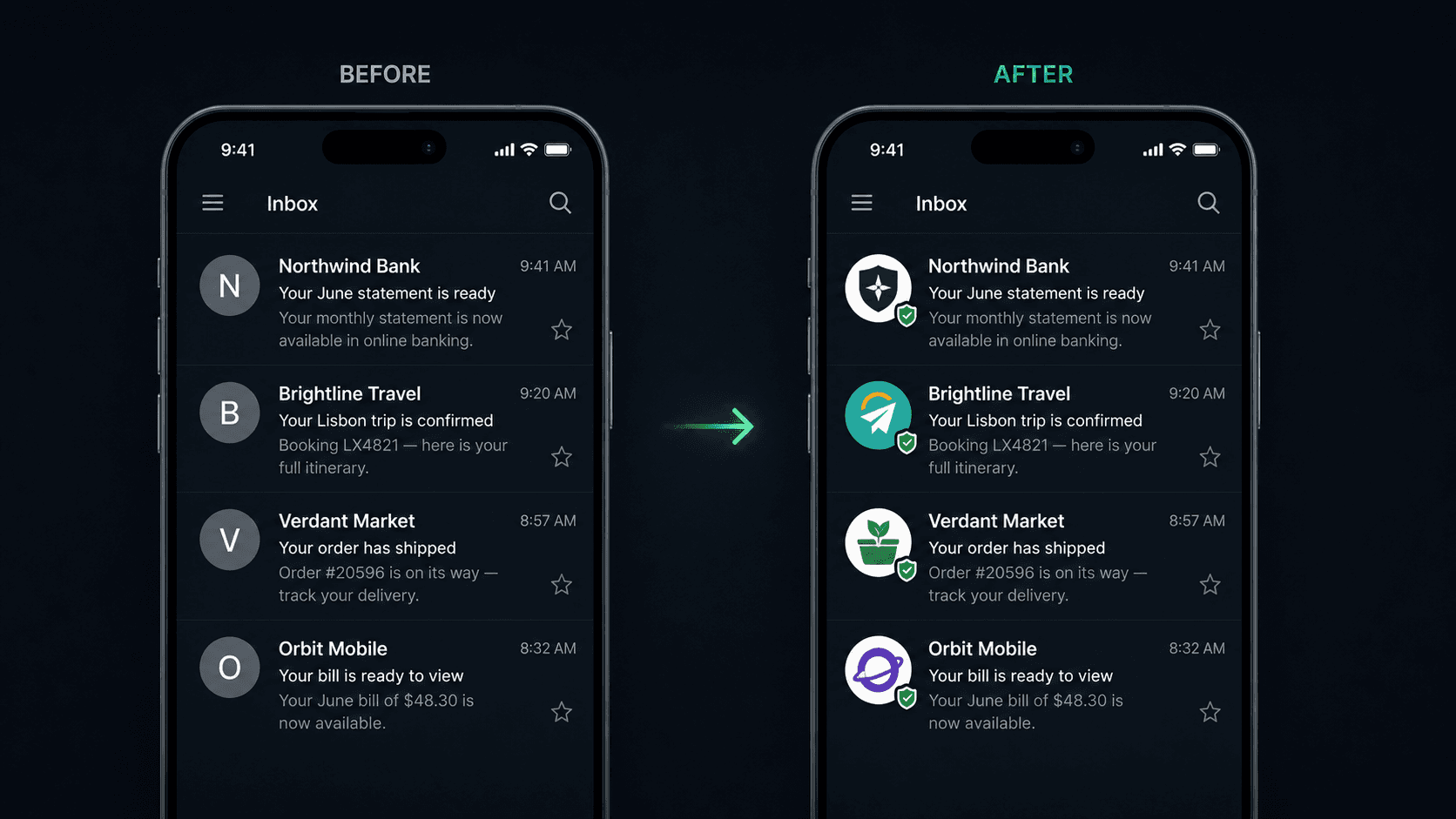
BIMI puts your verified brand logo right next to every email you send — in Gmail, Apple Mail, and Yahoo. More recognition, more trust, more opens. We host the record and validate your logo; you keep your DNS wherever it is.
Included at every tier · Needs DMARC at enforcement first
Why BIMI
Instant recognition
Your logo appears beside your name in the inbox list — before the message is even opened.
Verified trust
A verified logo (with a Verified Mark Certificate) signals a real, authenticated sender — not a spoof.
Better engagement
Branded senders see higher recognition and open rates; your logo does the work in a crowded inbox.
Reinforces your DMARC
BIMI only displays once you’re authenticated and at DMARC enforcement — so it rewards the security work you’ve already done.
How it works
Reach DMARC enforcement
BIMI requires your domain at a DMARC policy of quarantine or reject — included with CertaDNS Email Authentication.
Add your logo
Upload a square SVG (BIMI profile). We validate it inline and flag anything that won’t pass. Add a Verified Mark Certificate for Gmail and Apple Mail.
We host the record
CertaDNS publishes and hosts your BIMI record and logo. Mailbox providers pick it up and your logo starts showing.
What you’ll need
BIMI builds on a few foundations — we handle the hosting and validation.
- Email Authentication on the domain (SPF, DKIM, DMARC at enforcement) — available from CertaDNS.
- A square logo in BIMI-profile SVG — we validate it for you.
- A Verified Mark Certificate (VMC) for Gmail & Apple Mail — obtained from a certificate authority; you bring your own.
Hosting and validation of your BIMI record and logo are included at every tier. A VMC, if you choose one, is billed separately by the issuing authority.
Make your brand unmistakable.
No add-on, no upgrade. Get DMARC to enforcement on any CertaDNS tier and your logo can go up.